HabeoFeaturesMobile app

Feature · Now on Google Play · updated November 13, 2026

The asset register, in your pocket.

Habeo for Android is live on Google Play. Point the phone at an asset label and the record opens — hardware, assignment, lifecycle, location. Search by tag or serial when the label's worn off. Recently viewed assets stay readable when the basement has no signal.
iOS coming soon
1 scan
Label to record
7
Barcode formats read
0
Camera images uploaded
$0
Extra, on every plan
Habeo Android app showing an asset record
What's in the app

Four screens. No training session.

The app does one job — get from the thing in front of you to its record — and the screens below are all it takes. Same ledger as the web app, same permissions, same audit trail.
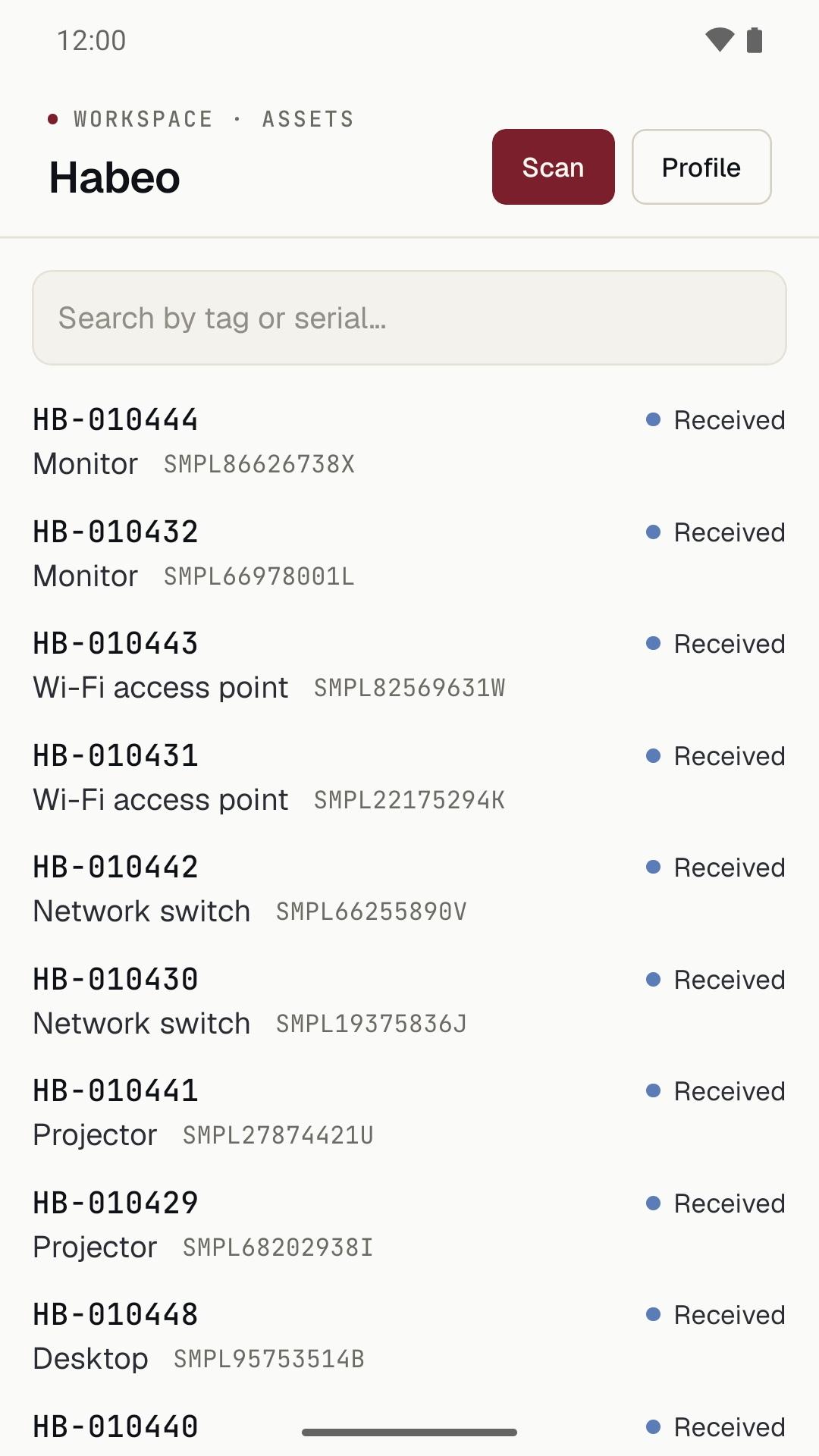
Habeo Android app: the workspace asset list with tags, asset types, serial numbers and status
Your inventoryEvery asset in the workspace with its tag, type, serial, and status.
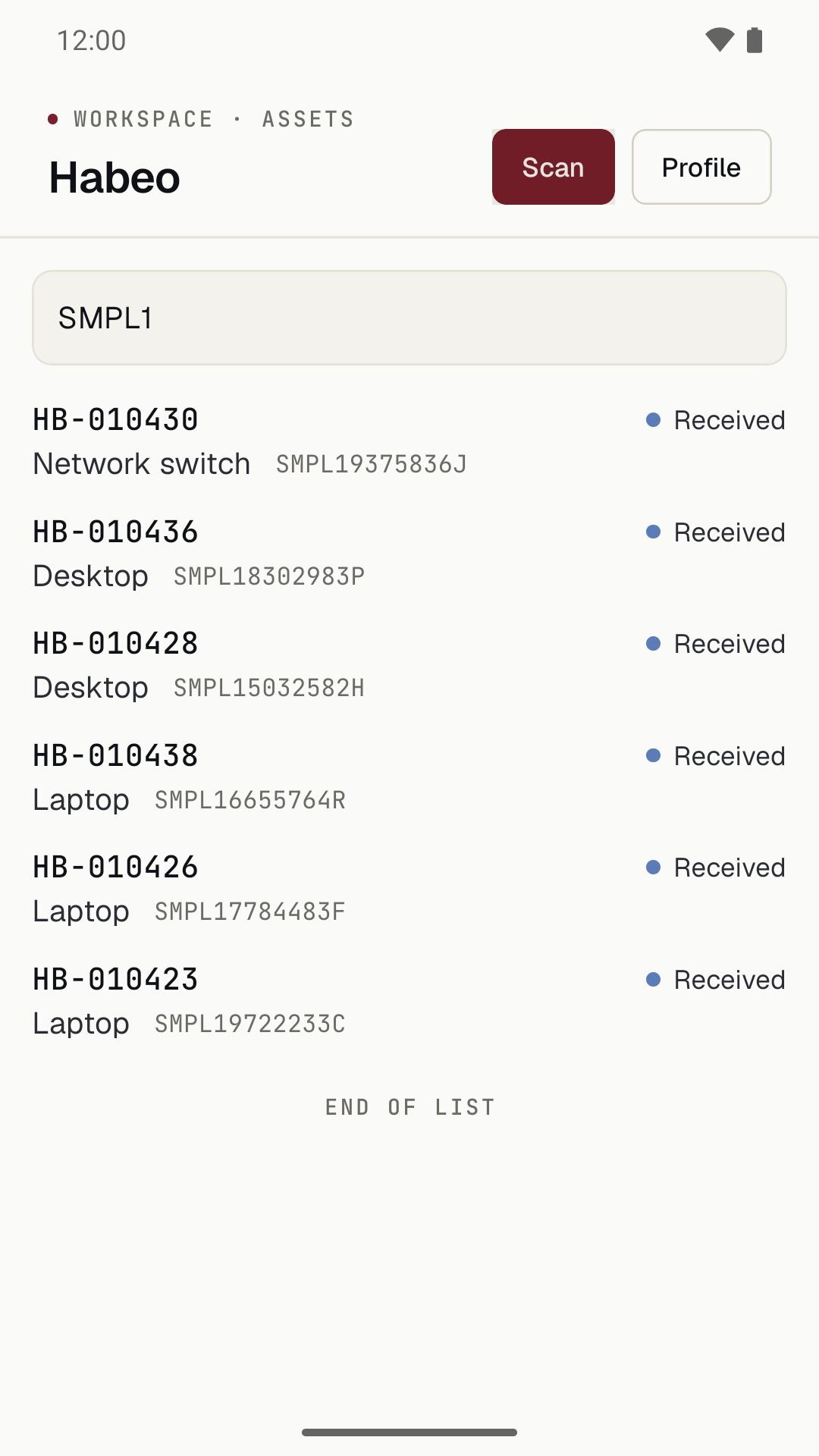
Habeo Android app: searching the asset list by a partial serial number
Search by tag or serialFor the label that's worn off or the device that never had one.
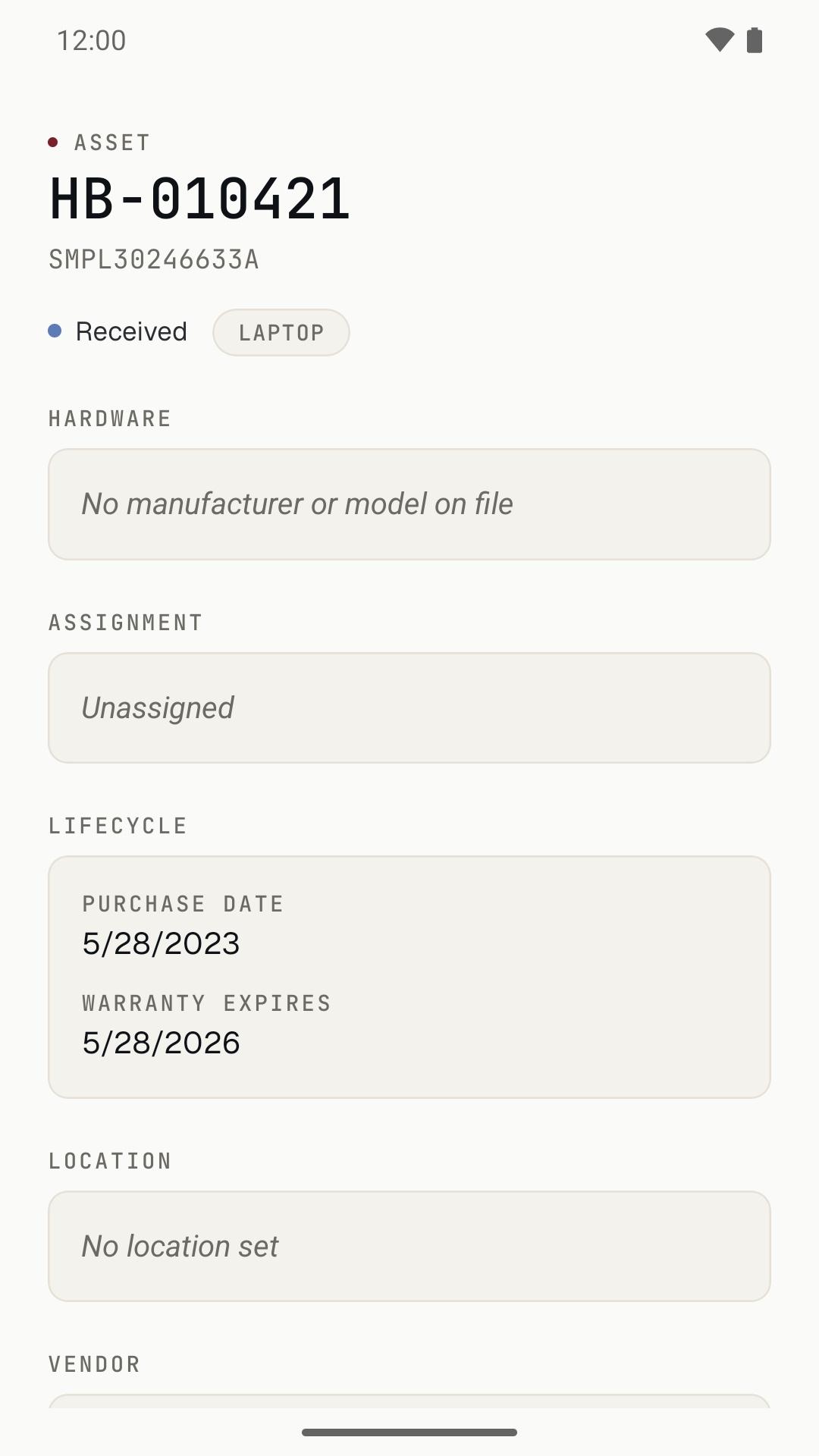
Habeo Android app: an asset record showing status, hardware, assignment, lifecycle dates and location
The recordStatus, hardware, assignment, purchase and warranty dates, location, vendor.
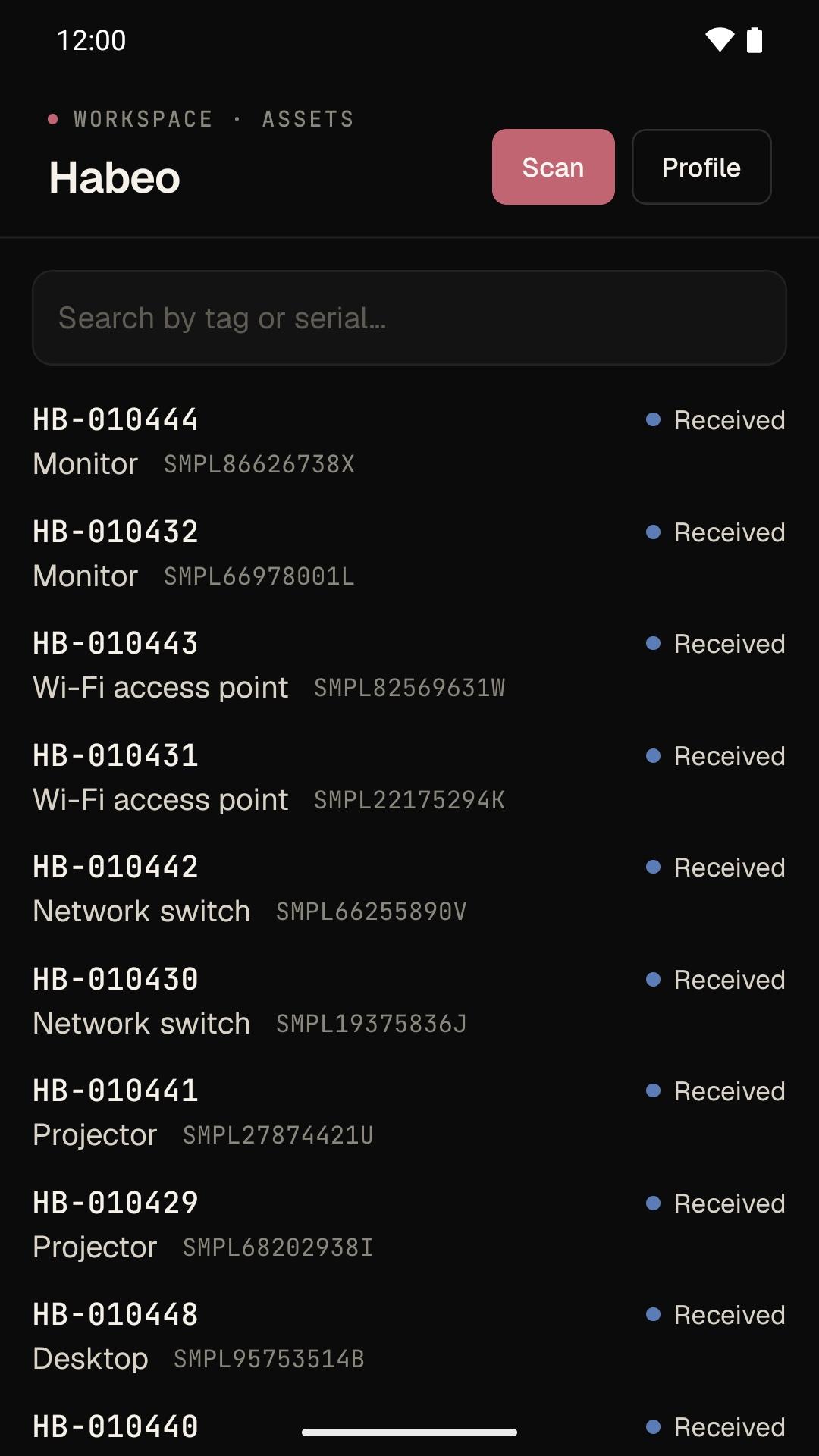
Habeo Android app: the asset list in dark mode
Light or darkFollows the phone's system theme — the server room and the loading dock both.
What it does

Built for the walk, not the desk.

Scan any label you already have.

QR codes, Code 128 and 39, EAN and UPC. A Habeo label opens its asset directly; any other barcode is looked up as an asset tag, so the stickers from your old system keep working.

7 formats · 1.5s de-dupe

Search when there's no label.

Type part of an asset tag or a serial number and the list filters to the matches. Useful for the projector whose sticker came off with the ceiling mount.

tag · serial

The live record, not a copy.

Status, asset type, hardware, assignment, purchase and warranty dates, location, and vendor — read from the same ledger your web app, MDM sync, and Workday events write to.

same API as /api/v1

Readable in the basement.

Recently viewed assets are cached on the phone, scoped to the signed-in user, and shown when the connection drops. Pull to refresh once you're back above ground.

per-user cache

Camera images stay on the phone.

Barcodes are decoded on-device; no frame is uploaded or stored. The app carries no advertising and no advertising identifier, and never reads location, contacts, photos, or files.

on-device decode

Included, not upsold.

Every Habeo plan includes the app, and every plan has unlimited seats. Put it on every phone in the property office and the help desk — the contract doesn't change.

all tiers
For your MDM admin

Rolled out in an afternoon.

A public Google Play app, so it goes through the managed-app channel you already run. Nothing to sideload, no agent, no separate license key.

  1. 01

    Get it onto phones.

    Approve io.higglo.habeo in managed Google Play and push it from Intune, Google Admin, or your EMM of choice — or send people the Google Play link.

  2. 02

    Sign in with Habeo.

    Each person signs in with their Habeo email and password. The app uses the same account and role as the web app — no separate mobile permissions to configure.

  3. 03

    Print and scan.

    Print QR labels from /assets/print on a Brother QL, Zebra, DYMO, or Avery sheet. Every label you stick on is one scan from its record.

Frequently asked

The app, answered.

What IT and property managers ask before they put it on a phone. The privacy detail is in the privacy policy.

Is there an iPhone app?
Not yet — Habeo for Android is live on Google Play and iOS is coming soon. In the meantime the iPhone camera already works with Habeo QR labels: each one encodes a link that opens the asset in the Habeo web app, no install needed.
What does the app cost?
Nothing extra. It's a free download, every Habeo plan includes it, and every plan has unlimited seats — there's no per-device or per-scanner charge for putting it on every phone in the department.
Who can sign in?
Anyone with an account in your institution's Habeo workspace. Accounts are created by your Habeo administrator; there's no sign-up inside the app. People sign in with their Habeo email and password, plus an emailed code when Habeo needs to verify a new device.
Does the app support SSO?
Not yet. The app signs in with a Habeo password rather than through your identity provider. If your workspace enforces SSO for a domain, members on that domain can't use the app until IdP sign-in ships; everyone else can.
Can we deploy it through Intune or Google Admin?
Yes. It's a public Google Play app (package io.higglo.habeo), so any Android Enterprise EMM — Microsoft Intune, Google Admin, Workspace ONE, and the rest — can approve it in managed Google Play and push it to managed devices or work profiles. People can also install it from Google Play themselves.
Which labels can it read?
QR codes, Code 128, Code 39, EAN-13, EAN-8, UPC-A, and UPC-E. Habeo's own labels open the asset directly. Any other barcode is looked up as an asset tag, so labels from the system you're replacing keep working as long as they encode the tag.
What does the app collect?
The account you sign in with and the asset records you open. If you allow notifications, a push token and the device platform. Camera images are decoded on the phone and never uploaded; recently viewed assets are cached on the device and cleared on sign-out. No advertising, no advertising identifier, no location, contacts, photos, or files. The full list is in the Habeo privacy policy.
Get the app

Scan your first label this afternoon.

Start a free trial, print a sheet of QR labels, and scan them with the Android app. Or book 30 minutes and we'll walk a property inventory with you on your own data.